How low-bandwidth teleconsultation works in Senegal: adaptive video, audio-only fallback, SMS, what the record must hold, and when to see the patient in person.
In short
- A teleconsultation built for weak networks steps down from video to audio only, then to a phone call or SMS, instead of simply failing.
- A remote consultation needs the same written record as a visit to the practice; in FHIR it is an Encounter marked as virtual.
- Teleconsultation complements in-person care: urgent symptoms and examinations that need hands or instruments still require a visit.
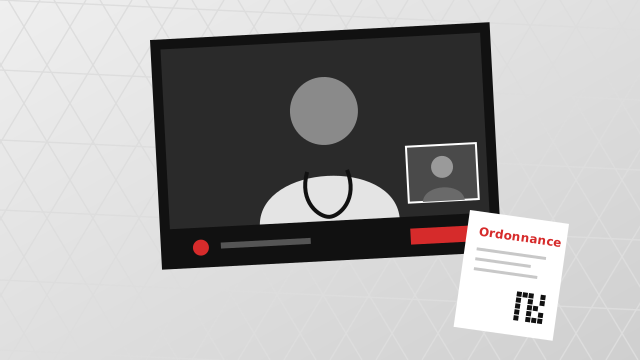
It is 6 p.m. in Keur Massar. Awa, who lives with high blood pressure, opens a video call with her cardiologist, Dr Moussa Ndiaye, whose practice is in Plateau. Just as he asks for her latest readings, the image freezes, the sound breaks up and the call drops. She tries the practice's landline, but the secretary is busy with patients at the desk.
This article explains what actually happens during a video consultation, how a well-designed service keeps going when the connection weakens, what the consultation must leave in the medical record, and where teleconsultation should stop. No IT background is needed; the technical details sit in a clearly marked section.
Why the connection decides whether the consultation happens
Senegal is well equipped with phones. DataReportal's Digital 2026 Senegal report counts 23.3 million mobile connections at the end of 2025, or 122% of the population, and 91.3% of them are 3G, 4G or 5G connections.
A connection that can carry broadband is not the same as a good connection, though. The same report estimates 11.5 million internet users in October 2025, 60.6% of the population, so about four people in ten were still offline. DataReportal itself warns that connection counts include lines used only for voice and SMS, and should not be read as a measure of internet use.
For a patient, the question is more concrete: will the video hold in my neighbourhood, at this hour, on my data bundle? The World Health Organization (WHO) raises the same issue in its telemedicine implementation guide, and recommends assessing the local connectivity before launching a service and offering more than one way to reach the patient.
"Telemedicine often requires higher network bandwidth for accessibility compared to other digital health interventions."
— World Health Organization, Consolidated telemedicine implementation guide (2022)
How a video consultation travels: WebRTC and Jitsi in plain words
Most video calls made in a web browser today rely on WebRTC (Web Real-Time Communication), a technology built into browsers that carries live sound and video without installing a plugin or a separate app. It became an official W3C Recommendation and a set of IETF standards in January 2021.
Jitsi is a family of open-source video conferencing projects, published under the Apache 2.0 licence, which any organisation can run on its own servers. Its two main parts are Jitsi Meet, the application that runs in the browser, and Jitsi Videobridge, a server that routes video streams between the participants.
One practical detail explains many failed calls. Some networks hide phones behind a shared address (a technique called NAT), which makes a direct connection between doctor and patient impossible. A relay server, called a TURN server, then passes the traffic along, so a serious teleconsultation service needs one in place.
Three fallbacks: adaptive video, audio only, then phone or SMS
A teleconsultation built for weak networks does not have one mode. It has a sequence of fallbacks, each lighter than the last, so that the consultation degrades step by step instead of collapsing.
| What the connection does | What the consultation does |
|---|---|
| Stable 4G or Wi-Fi | Normal video, notes taken in parallel |
| Fluctuating | Lower video quality, sound kept as the priority |
| Very weak | Audio only, video switched off |
| Mobile data gone | Phone call, or SMS with a link or a new time |
Adaptive video
The Jitsi video server measures how much bandwidth each participant really has, and chooses what to send using simulcast (the sender's camera is sent at several quality levels at once, and the server forwards the one that fits). In a demonstration published by the Jitsi team in 2017, the image dropped from 720p to 360p when the link was restricted; at 200 kbit/s, described as "just enough for audio", the video stopped while the voice carried on.
Audio only
Jitsi Meet also offers an audio-only mode, in which the infrastructure sends only the unmuted audio streams. The team introduced it after users asked for a low-bandwidth mode, including people on connections billed by the megabyte.
Voice needs far less data than video. Opus, the open audio codec (the software that compresses sound) designed for calls and video conferencing, scales down to narrowband speech at 6 kbit/s. For many follow-ups, that is enough: Dr Ndiaye can review Awa's home blood-pressure readings, adjust a dose and explain the next steps without seeing her face in high definition.
Phone call and SMS
When mobile data disappears entirely, an ordinary phone call can finish the consultation, and an SMS can carry the new appointment time or a link to rejoin. SMS reaches almost any handset, including basic phones without an internet plan.
Light pages complete the picture. The booking and waiting screens should load quickly on an entry-level smartphone, so that the patient's data bundle is spent on the consultation, not on images.
What a video consultation must leave behind
A remote consultation is still a consultation. It needs the same written note as a visit to the practice in Plateau: the reason for the visit, what was observed or reported, the decision, any prescription (ordonnance) and the follow-up plan. WHO's guide asks for ways of documenting and tracing past exchanges and decisions made during consultations, and for telemedicine data to be integrated into routine health records.
Recording the video is a separate question, and often not needed. The same guide notes that recording audio or video requires informing the patient and obtaining consent, plus a plan for secure storage and access control. It also asks that patients be told clearly what the service can and cannot do, a topic covered in our article on patient consent and health records.
In Senegal, health information counts as sensitive personal data under law 2008-12 on personal data protection, and organisations that process it must generally notify the CDP, the national data protection authority. A teleconsultation service therefore needs to know where its notes and any recordings are stored, and who can open them.
For the technical reader
In FHIR R4, the international health data standard explained in FHIR, simply, the booking is an Appointment and the consultation itself is an Encounter. A video consult uses the same Encounter resource as an office visit, with class set to VR, which the HL7 terminology defines as "a patient encounter where the patient and the practitioner(s) are not in the same physical location".
Around that Encounter:
Encounter.appointmentpoints to the booking andEncounter.periodrecords when the call started and ended.- Observation resources carry the readings Awa reports, linked through
Observation.encounter. - The ordonnance is a MedicationRequest attached to the same Encounter (see the digital ordonnance).
- Each SMS can be a Communication, which R4 defines as a record of a communication "even if it is planned or has failed".
Where teleconsultation stops
WHO's guide is direct: remote consultation between patients and providers is meant "to complement, rather than replace, the delivery of health services", and clinicians should decide which cases still warrant face-to-face contact. It also notes that remote exchanges can limit non-verbal feedback, which affects trust and the doctor's ability to check that the patient has understood.
Some situations simply do not belong on a call. A cardiologist cannot listen to a heart through a phone speaker or examine swollen ankles on a frozen image. In the guide's remote-monitoring workflow, situations that need immediate medical attention are routed to an in-person visit or an ambulance, not to the next video slot.
Key idea A good teleconsultation service knows when to end the video. Before the first call, doctor and patient should agree on what happens if the line drops, and on which symptoms mean "come to the practice" or "go to the emergency department".
A short checklist for practices
- Test the call on the patient's own phone and network before the first remote consultation.
- Agree on a fallback number, and on who calls whom if the line drops.
- Write the note during or right after the call, in the same record as office visits.
- Send the ordonnance as a digital document, not as a photo of a paper slip.
- Explain the limits of teleconsultation and ask for consent before any recording.
- Know where the data is hosted and check that the processing has been declared to the CDP.
How Quralys approaches this
Quralys, a FHIR-native health platform being built in Dakar, treats video as one more way of holding the same appointment. Its video consultation is built on Jitsi, with embedded rooms signed for each appointment, adaptive quality, an audio-only fallback for weak networks, and SMS when data drops.
Every consultation, at the practice or by video, writes the same FHIR Encounter, and the ordonnance written during the call is a MedicationRequest attached to it. Quralys is pre-launch: the first version is being built, and a pilot with three to five private doctors in Dakar is planned. You can see how the pieces fit together on the platform page.
Sources
- DataReportal: Digital 2026 Senegal
- World Health Organization: Consolidated telemedicine implementation guide (2022)
- W3C: Web Real-Time Communications (WebRTC) transforms the communications landscape (2021)
- Jitsi: jitsi-meet repository (Apache 2.0)
- Jitsi Handbook: Architecture
- IETF: RFC 8656, Traversal Using Relays around NAT (TURN)
- Jitsi blog: Adaptivity (2017)
- Jitsi blog: Audio Only Mode in Jitsi Meet (2017)
- IETF: RFC 6716, Definition of the Opus Audio Codec
- HL7 FHIR R4: ActEncounterCode value set (VR, virtual)
- HL7 FHIR R4: Communication resource
- DLA Piper: Data protection laws of the world, Senegal
Written by the Quralys team
Quralys is building a FHIR-native health ecosystem in Senegal: one record that clinics, pharmacies, labs, insurers and the national system can read, with the patient’s consent.
See it in practice
Private doctors in Dakar can join the pilot: online booking, prepaid consultations, digital ordonnances and video, free during the pilot.